
Character continuity in Midjourney: A step-by-step guide (part 1)
Keeping the same character across multiple Midjourney images feels a little like trying to hold onto a dream, every time you look again, something’s different. The hair changes. The face shifts. Suddenly your character has a new nose, a new jawline, and a suspiciously different personality.
But the good news? You can get true character continuity in Midjourney with the right technique. It’s not a one-click feature, it’s a combination of structure, consistency, and a few sneaky tricks that Midjourney responds well to.
For this walkthrough, we’re going to create “Missy”, a hyper-realistic teenage girl, complete with the attitude and everything.
Step 1: Define your character
Pick 5–8 physical traits that never change. For Missy, here’s a perfect character block. Prompt this to create your new character:
“Hyper-realistic teenage girl with blonde hair in a loose ponytail, fair skin, clean, stylish, wearing an oversized hoodie, high-waisted jeans, and white sneakers.”
This becomes your North Star.

Step 2: Keeping the look consistent
There are two things needed in Midjourney to keep this look consistent. The first tool you’ll utilize is the “seed” and the second is the “omni reference”.
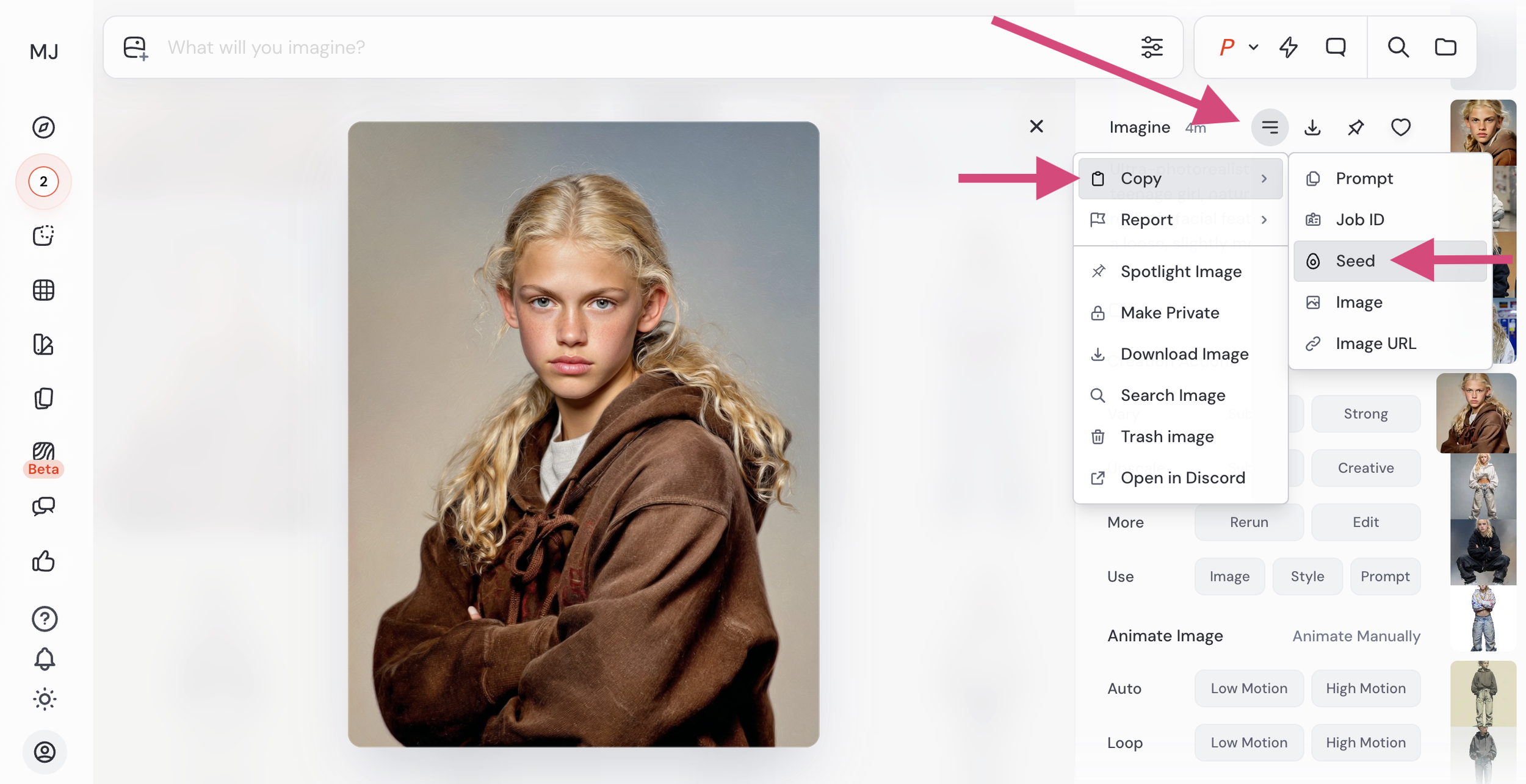
Once you have your character created, you’ll want to grab the “seed” from that individual creation:
Click the hamburger menu next to the image
Select “copy” and choose “seed”
Copy the seed
In this example, Missy’s seed number is “3969075217”. (Make sure to put “--seed” before the seed number in your prompt. Therefore, it should look like this: --seed 3969075217)
This seed will be used in future prompts to keep Missy’s face consistent.
Next, you’ll use the image itself as an omni reference for all future generated images.
To do this:
Click the “image +” icon inside the prompt screen.
Go to “Omni Reference”
Upload the main image of your character
Your prompt now has the two things it needs to keep Missy’s look consistent: A seed reference AND an omni reference.

Tip: For character continuity, avoid drastic changes to your prompts like:
Realism → Anime
Neon cyberpunk → Soft natural daylight
Moodboard A → Moodboard B
Step 3: Missy in action
Your first image establishes Missy’s visual “DNA”. The seed and the omni reference guarantee it stays that way. You can then generate your character in various settings. Remember, you’ll need to use BOTH the seed AND the omni reference in EVERY image generation (not just for the first generation)! You’ll add the omni reference manually, whereas the seed can actually be written to each prompt.
Here we go…
Example 1 (Missy in school): “Hyper-realistic portrait of a teenager standing in a school hallway, casual teen style --seed 3969075217”

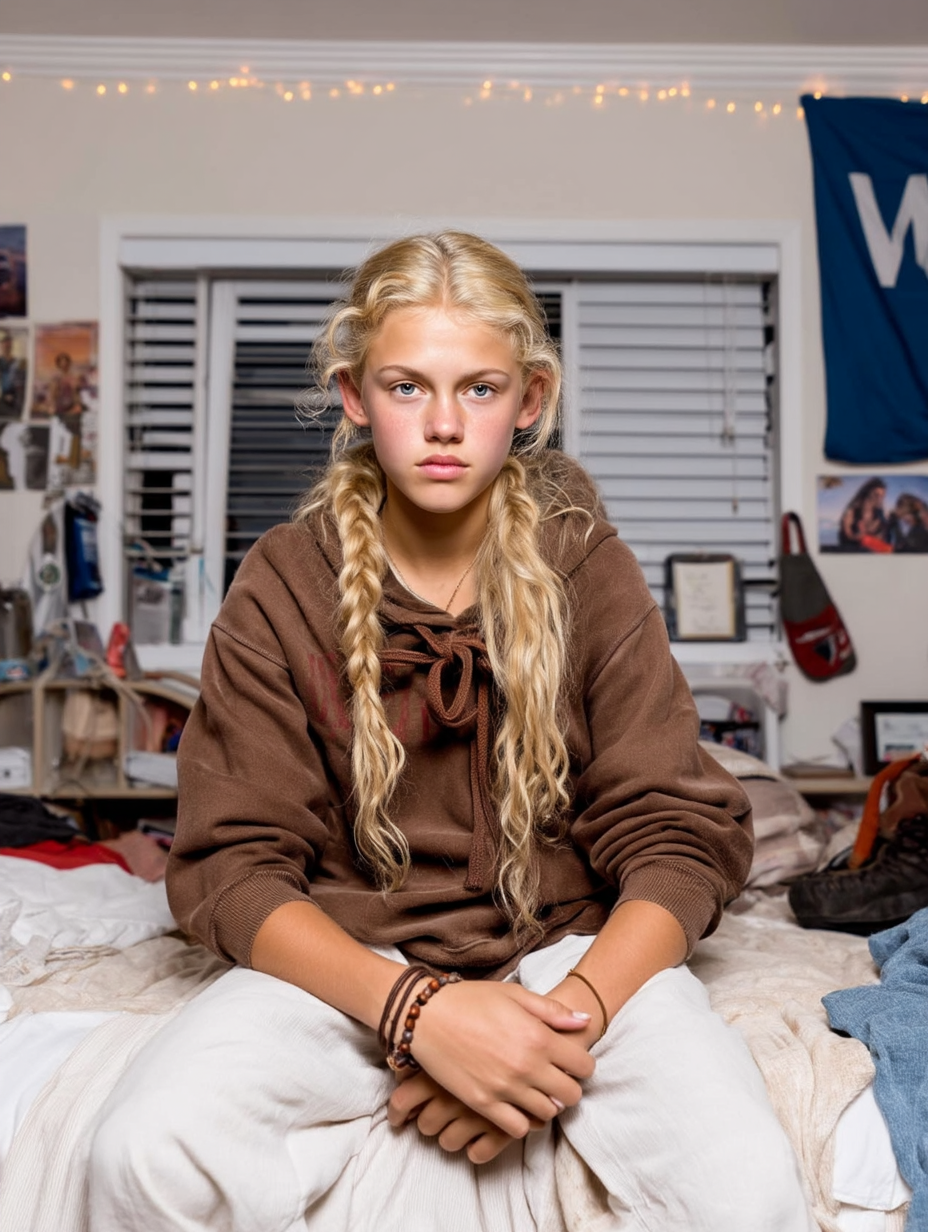
Example 2 (Missy in her bedroom): “Hyper-realistic portrait of a teenager sitting on her bed in a messy teen bedroom, string lights, posters on the wall, soft window light --seed 3969075217”
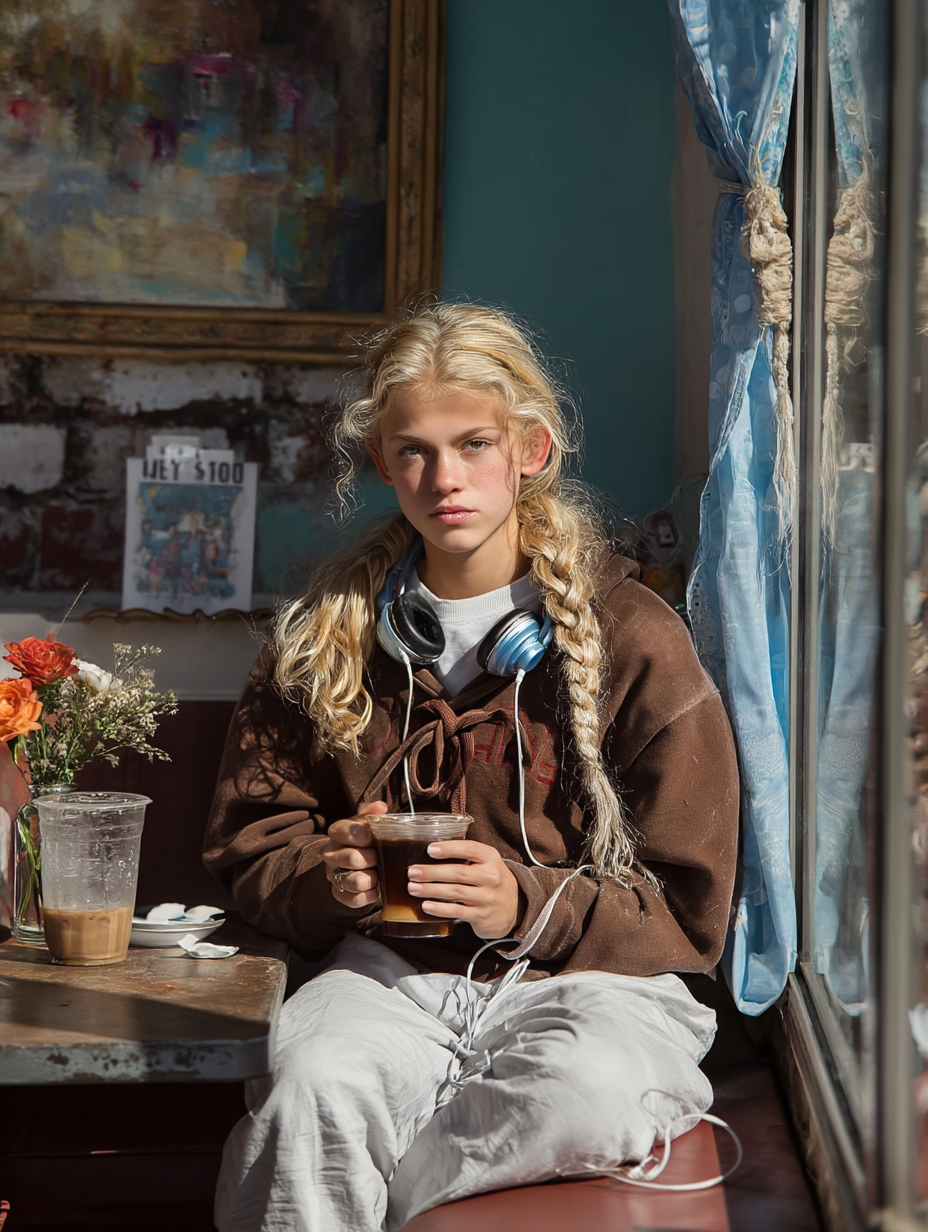
Example 3 (Missy in a cafe): “Hyper-realistic portrait of a teenager sitting in a cafe holding a cup of coffee and wearing headphones while sitting next to a window with natural light --seed 3969075217”
Conclusion: Continuity is possible (with the right structure)
Midjourney doesn’t give you a character lock button yet, but with these tweaks, you’ll at least be able to stay somewhat consistent.
In Part 2, I’ll dive into styling, clothing, emotions, actions. Stay tuned!
